Back to XLongIdea X-PDF Converter
Get the app ↗

Convert · Organize · Keep local

X-PDF Converter

A Windows PDF workspace for moving between documents, images, and PDF, with everyday PDF utilities in the same interface.

Windows 10/11 x64Chinese & English UIFiles stay on device
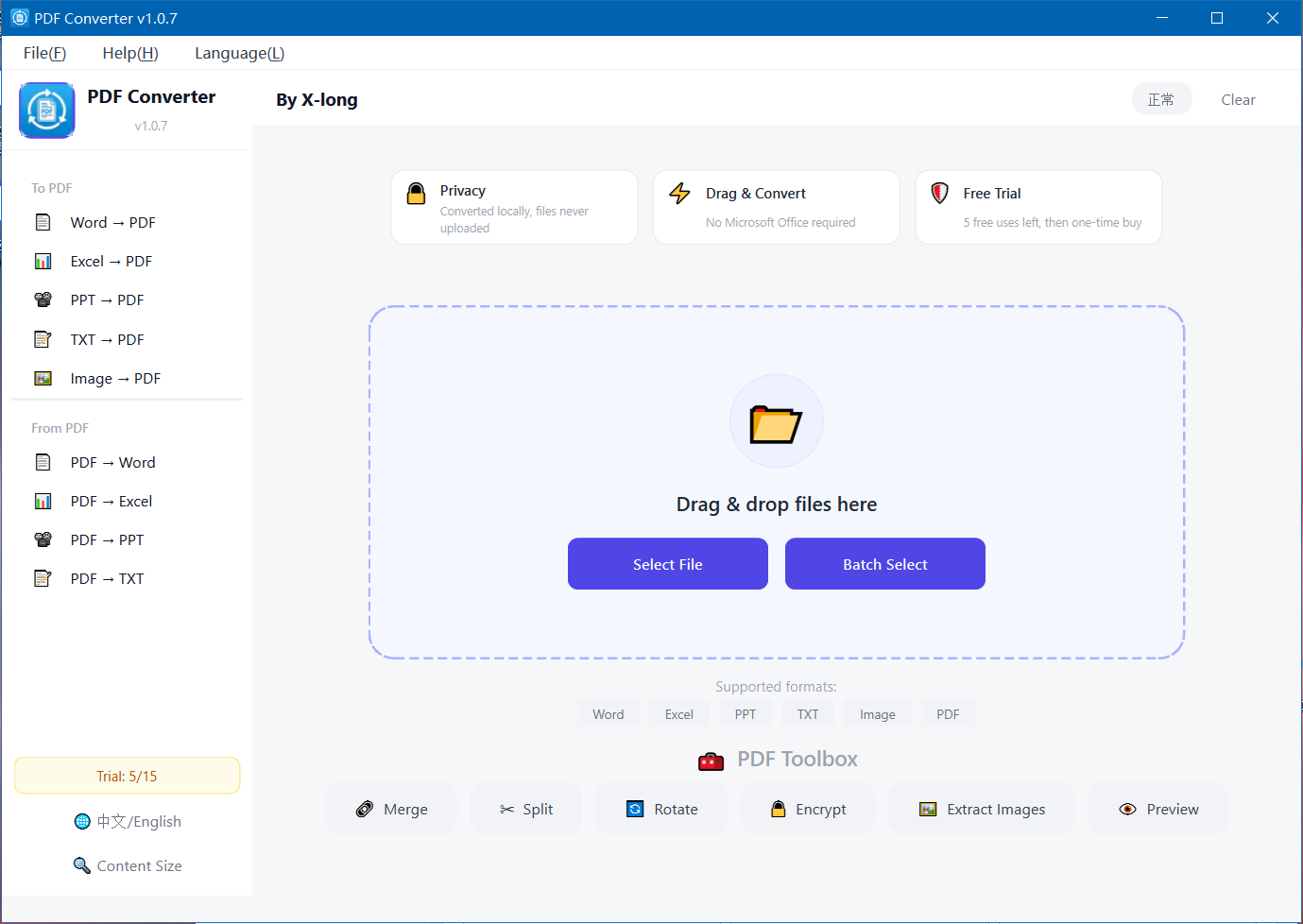
Drag files in. Choose the output.
X-PDF Converter main interface in English
Conversion happens locally
Two-way conversionDocuments and images ↔ PDF
Batch-readyDrag and drop or select multiple files
Local processingFiles are not uploaded for conversion
01 / Workflow

One place for conversion and everyday PDF work.

The installed 1.0.7.1 build confirms local conversion, drag-and-drop input, batch selection, bilingual UI, and the six-item PDF toolbox.

Create PDFs from the files you already use.

Convert Word, Excel, PowerPoint, text, or multiple images to PDF. The full conversion engine is designed to work without requiring Microsoft Office.

  • Word, Excel, PowerPoint, and TXT to PDF
  • Multiple images to one PDF
  • Drag-and-drop and batch selection
Drag-and-drop conversion in X-PDF Converter

Bring PDF content back into editable formats.

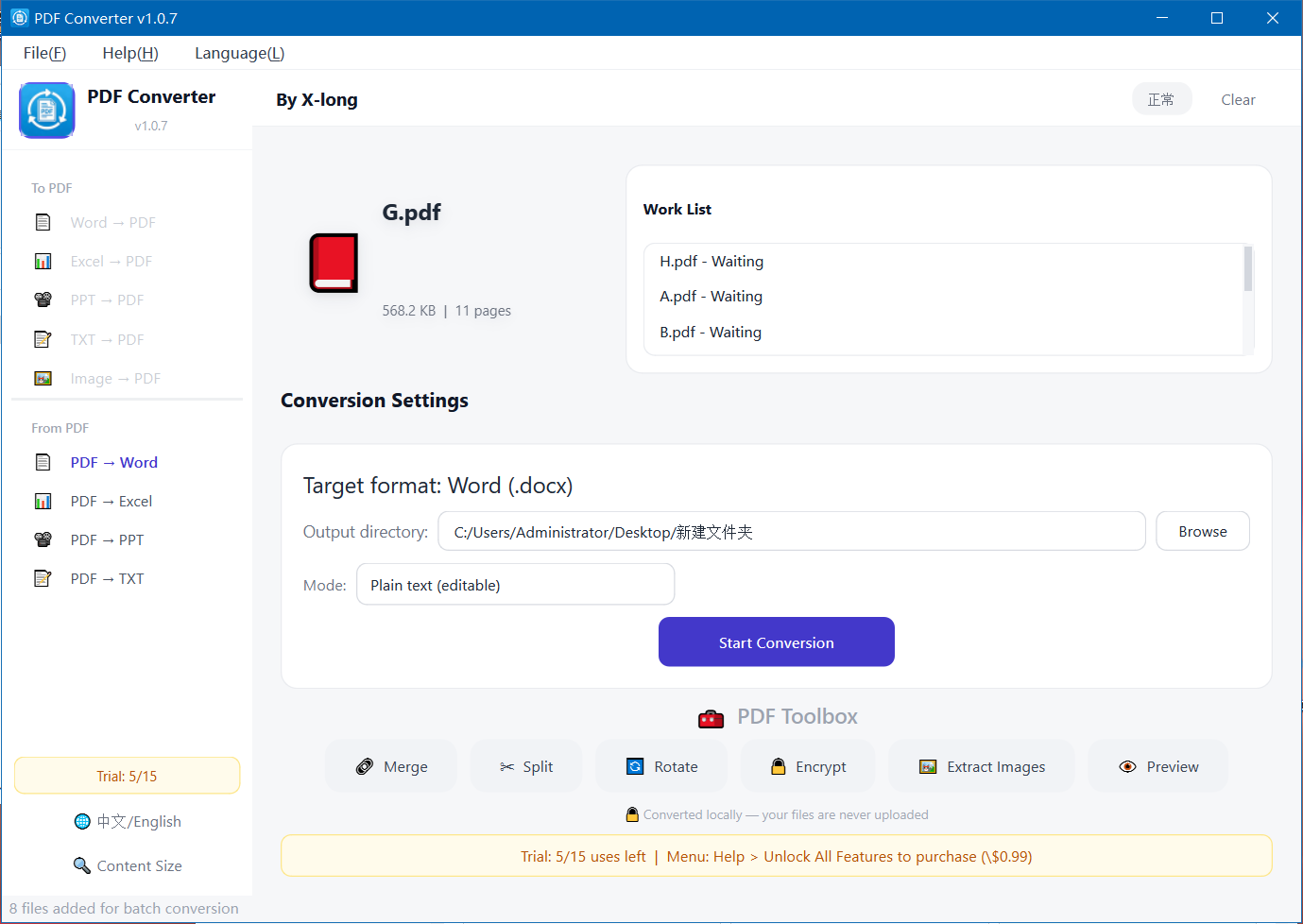
Convert PDF to Word, Excel, PowerPoint, or plain text. Choose an output directory and process multiple queued files from the same workspace.

  • PDF to Word, Excel, PowerPoint, and TXT
  • Visible work queue for batch conversion
  • Selectable output folder and conversion mode
PDF to Word conversion settings and work list
02 / PDF Toolbox

Six practical tools, always nearby.

The free toolbox sits along the bottom of the main workspace.

01

Merge

Combine multiple PDF files into a single document.

02

Split

Separate a PDF into smaller files for easier handling.

03

Rotate

Correct page orientation without leaving the application.

04

Encrypt

Apply basic password protection to a PDF.

05

Extract images

Pull embedded images out of a PDF for separate use.

06

Preview

Review PDF content before continuing with another task.

Free PDF tools, plus trial-based conversion.

Merge, split, rotate, basic encryption, and preview are available as free tools. Document conversion, image-to-PDF, and image extraction use trial limits until the Store add-on is purchased.

The current Store license is a one-time durable purchase. Current price and regional availability should always be checked on Microsoft Store.

03 / FAQ

Good to know.

Answers based on the installed application and current handoff records.

Are files uploaded for conversion?

No. The current application states that conversion is completed locally and files are not uploaded.

Is Microsoft Office required?

The full conversion engine is packaged to work without Microsoft Office. The project also has a lightweight edition that can use installed Office or WPS, but availability should be checked for the chosen distribution.

Which formats can be converted from PDF?

The current interface provides PDF to Word, Excel, PowerPoint, and TXT conversion.

Does it support batch work?

Yes. Files can be selected in batches and the conversion workspace shows a work list for queued items.

Move the document forward.

Open the verified X-PDF Converter listing in Microsoft Store to see current availability and purchase information for your region.

Open Microsoft Store9NLKBBVTHRV6